Knowledge Base
Where Strategy Becomes Action
Browse helpful articles, courses, and resources to help you navigate the Scale B.O.S.S. system, the Good to Growing framework, and experience massive scalable growth.
Your clients deserve a system, not a spreadsheet.
Fractional CFOs using Scale B.O.S.S. deliver structured growth frameworks that retain clients longer and command premium fees.

Weakness Prioritization in Scale B.O.S.S.
Scale B.O.S.S. prioritization converts a list of surfaced weaknesses into an ordered action sequence by rating each item on business impact and time to resolve, then plotting results on a matrix to guide which issues should move first.
Published Apr 20, 2026
Updated May 2, 2026

Managing Users in Scale B.O.S.S. Settings
The Users section in Settings is your administrative control center for managing people, access, organizational structure, and onboarding in Scale B.O.S.S. Clean user setup directly strengthens security, reporting accuracy, and platform trustworthiness.
Published Apr 30, 2026
Updated May 2, 2026

Translating Financials Into Strategic Insights in Scale B.O.S.S.
Learn to translate financial statements into clear, prioritized business insights that drive leadership decisions. This guide shows how to move beyond accounting detail to identify what matters most and connect financial patterns to actionable next steps.
Published Apr 30, 2026
Updated May 2, 2026

Scale B.O.S.S. Team Dashboard Guide
The Team Dashboard consolidates scattered team data—evaluations, objectives, goals, and capacity—into a single leadership view that reveals performance patterns, execution progress, and workload health to prevent false confidence in team readiness.
Published Apr 30, 2026
Updated May 2, 2026

Managing Organization-Wide Preferences in Scale B.O.S.S.
Scale B.O.S.S. Preferences controls organization-wide operating defaults—from user access and evaluation modes to fiscal timing and auto-archive rules—transforming the platform from generic software into a customized operating system that reflects your company's actual workflows and rhythms.
Published Apr 30, 2026
Updated May 2, 2026

Scale B.O.S.S. System Connections Settings Guide
System Connections is the organization-level control center for linking Scale B.O.S.S. to accounting platforms and document storage providers, enforcing one active financial source and one document repository to ensure clean, trusted data flow throughout the platform.
Published Apr 30, 2026
Updated May 2, 2026

Managing Notifications And Messaging General Settings
Configure organization-wide messaging behavior, AI tools, collaboration permissions, and message retention through the Notifications & Messaging — General settings to create a communication environment that balances speed, safety, and governance.
Published Apr 30, 2026
Updated May 2, 2026

Financial Data Settings Guide for Scale B.O.S.S.
Configure data retention periods, default report viewing horizons, and financial access permissions to ensure consistent, governed financial reporting across your organization. This settings page establishes the policy layer that keeps finance dashboards, reporting views, and user access aligned.
Published Apr 30, 2026
Updated May 2, 2026
Scale B.O.S.S. Departments & Business Units Settings Guide
Define your company's functional departments and group them into business units to create a clean operating structure that powers clearer reporting, better segmentation, and improved leadership visibility across Scale B.O.S.S.
Published Apr 30, 2026
Updated May 2, 2026

Cadence Rules: Configure Operating Rhythm and Accountability
Cadence Rules is the administrative control center for Scale B.O.S.S.'s operating rhythm, governing focus limits, deadline timing, enforcement, process ownership, weakness automation, and meeting scheduling to create predictable, accountable recurring management work.
Published Apr 30, 2026
Updated May 2, 2026

Scale B.O.S.S. Company Profile Settings Guide
The Company Profile page establishes your organization's identity, branding, and business context in Scale B.O.S.S., directly shaping how the platform displays your brand and how AI guidance becomes more relevant and specific to your actual business stage and market.
Published Apr 30, 2026
Updated May 2, 2026

Scale B.O.S.S. AI Data Management Settings Guide
Manage AI capabilities, training data, and chat retention at the organization level through Scale B.O.S.S. AI Data Management settings to ensure AI is intentional, governed, and aligned with your operations.
Published Apr 30, 2026
Updated May 2, 2026

Understanding QLSM Cadence in Scale B.O.S.S.
The QLSM Cadence page maps the execution rhythm for your business through monthly, quarterly, annual, and perpetual review cycles that keep strategy aligned and prevent momentum from fading.
Published Apr 20, 2026
Updated May 2, 2026

Scale B.O.S.S. Notifications: Keeping Work Visible And Accountable
Scale B.O.S.S. notifications surface assigned work, messages, and action items directly to users, ensuring important tasks stay visible and accountability remains strong. The notification center acts as an awareness layer that routes users to the correct workspace without replacing the underlying work objects themselves.
Published Apr 30, 2026
Updated May 2, 2026

Scale B.O.S.S. Notes & Tasks: Personal Workspace Guide
Notes & Tasks provides a private personal workspace for capturing ideas, drafting work, and managing next actions without cluttering shared strategic records, strengthening execution across Scale B.O.S.S.
Published Apr 30, 2026
Updated May 2, 2026

Configure Workflow Notifications and Reminders
Configure workflow reminders and delivery timing in ScaleBoss Notifications to keep teams accountable and aligned. Enable specific alerts, set advance notice periods, choose send times, and adjust frequency to match your team's operating rhythm.
Published Apr 30, 2026
Updated May 2, 2026

Managing Your Profile and Personal Settings in Scale B.O.S.S.
My Profile is the personal control center for managing identity, security, preferences, and notifications in Scale B.O.S.S., ensuring assignments and alerts reach users correctly and the platform feels sustainable to use daily.
Published Apr 30, 2026
Updated May 2, 2026

Scale B.O.S.S. Messages Guide: Collaboration and Conversation
Messages is Scale B.O.S.S.'s shared communication layer that keeps team conversations, direct messages, and work-linked discussions in one accessible place, reducing context loss and improving execution accountability.
Published Apr 30, 2026
Updated May 2, 2026

Understanding the Marketing Dashboard in Scale B.O.S.S.
Learn to read Scale B.O.S.S.'s Marketing Dashboard to monitor budget allocation, spend pacing, tactic timing, platform distribution, and monthly campaign performance in one integrated command view.
Published Apr 30, 2026
Updated May 2, 2026

How to Submit and Manage Support Tickets in Scale B.O.S.S.
Help & Support is the in-platform service desk for submitting bugs, account issues, and technical questions while keeping the full conversation history in one structured ticket until resolution.
Published Apr 30, 2026
Updated May 2, 2026

Executive Dashboard: Leadership Operating Guide for Scale B.O.S.S.
Learn to read Scale B.O.S.S.'s Executive Dashboard as an integrated leadership cockpit that connects revenue, business health, weakness execution, and team performance to answer whether your company is growing sustainably and executing strategically.
Published Apr 30, 2026
Updated May 2, 2026

Supervisor Guide To Creating And Managing Team Goals
Supervisors create, publish, and manage individual team member goals in the Goals workspace using specific, time-boxed commitments paired with historical performance context to drive meaningful development and accountability.
Published Apr 30, 2026
Updated May 2, 2026

Managing Your ScaleBoss Billing, Seats, and Subscription
Manage your ScaleBoss subscription, monitor seat usage and AI consumption, and review plan features all from the Billing settings page, with payment administration handled securely through Stripe.
Published Apr 30, 2026
Updated May 2, 2026

Scale B.O.S.S. Capacity Dashboard Guide
Learn how to use the Capacity Dashboard to identify team utilization patterns, spot emerging bottlenecks, and make informed scaling decisions before pushing more demand into an already-constrained system.
Published Apr 30, 2026
Updated May 2, 2026

How to Assign Meeting Organizer Responsibility in Scale B.O.S.S.
Assign team members as meeting organizers in Scale B.O.S.S. by accessing Settings, navigating to Cadence Rules, and toggling the Meeting Organizers section to designate responsibility for scheduling recurring meetings.
Published Apr 30, 2026
Updated May 2, 2026

How to Update Your Fiscal Year Settings in Scale B.O.S.S.
Configure your organization's fiscal year start month, data display format, and quarterly rollups in Scale B.O.S.S. Settings to ensure reports and dashboards align with your accounting period.
Published May 1, 2026
Updated May 2, 2026

How To Manage Organization Wide Features in Scale B.O.S.S.
Control organization-wide features in Scale B.O.S.S. by toggling Notes & Todos, scheduling AI Weekly Insight Reports, and enabling manual user activation to standardize workflows and improve team security and visibility.
Published May 1, 2026
Updated May 2, 2026

How To Manage Support Ticketing Role Access in Scale B.O.S.S.
Control support ticket access and notifications in Scale B.O.S.S. by setting role permissions and notification preferences through your account settings, ensuring only authorized team members can view tickets and receive alerts.
Published May 1, 2026
Updated May 2, 2026

How To Configuring Weakness Triggers in Scale B.O.S.S.
Learn to configure Weakness Triggers in Scale B.O.S.S. to customize which behaviors trigger alerts and reduce notification noise while improving account health monitoring for your team.
Published May 1, 2026
Updated May 2, 2026

How to Update the CFO Limit in Scale B.O.S.S.
Set the maximum number of active CFOs in your Scale B.O.S.S. organization through Cadence Rules settings to maintain optimal staffing capacity (5-7 recommended).
Published May 1, 2026
Updated May 2, 2026

How To Configure Cadence Enforcement Rules In Scale B.O.S.S.
Learn to configure Cadence Enforcement Rules in Scale B.O.S.S. by accessing Settings, navigating to the Cadence Rules tab, and toggling individual rules or using bulk Enable/Disable options to control workflow checks.
Published May 1, 2026
Updated May 2, 2026

How to Configure Deadline Rules In Scale B.O.S.S.
Set up automated deadline reminders in Scale B.O.S.S. by configuring cadence rules for CFO publishing, supervisor approvals, team reviews, KPI updates, and meeting scheduling to keep workflows aligned and prevent missed deadlines.
Published May 1, 2026
Updated May 2, 2026
How To Assign Owners to Cadence Rules in Scale B.O.S.S.
Assign team members as owners for different cadence rule categories in Scale B.O.S.S. to establish clear accountability and streamline task management across your organization.
Published May 1, 2026
Updated May 2, 2026

How To Clone A CFO Entry In Scale B.O.S.S.
Duplicate CFO entries across team members in Scale B.O.S.S. by navigating to the CFOs tab, selecting the copy icon, confirming mandatory fields and status, then assigning to your chosen team member.
Published May 1, 2026
Updated May 2, 2026

How to Create a New Marketing Campaign in Scale B.O.S.S.
Set up marketing campaigns in Scale B.O.S.S. by navigating Tactic Management, entering campaign details like name and dates, selecting platform and cadence, and allocating budget as a portion of your tactic budget.
Published May 1, 2026
Updated May 2, 2026

How to Supersede a Team Member Evaluation in Scale B.O.S.S.
Override an existing team member evaluation in Scale B.O.S.S. by navigating to Team, selecting the member, clicking the supersede button, and confirming to complete a new evaluation.
Published May 1, 2026
Updated May 2, 2026

How To Create A New Marketing Tactic In Scale B.O.S.S.
Set up marketing tactics in Scale B.O.S.S. by navigating to Tactic Management, entering a name and description, then configuring your start/end dates, budget, and organizational tags.
Published May 1, 2026
Updated May 2, 2026

How to Update your Profile Picture in Scale B.O.S.S.
Learn how to update your profile picture in Scale B.O.S.S. by accessing your profile settings and uploading a new photo using the camera icon, which saves automatically.
Published May 1, 2026
Updated May 2, 2026

How to Manage your Notification and Support Preferences in Scale B.O.S.S.
Customize your alerts, messaging, support, and notification preferences in Scale B.O.S.S. by accessing your profile settings to stay informed about tasks and deadlines according to your needs.
Published May 1, 2026
Updated May 2, 2026

How To Manage Notifications In Scale B.O.S.S.
Clear alerts and maintain an organized workspace by marking notifications as read in Scale B.O.S.S. Access the Notifications panel from your dashboard or the bell icon to efficiently manage your alerts.
Published May 1, 2026
Updated May 2, 2026

How to Create and Finalize a Team Member Evaluation in Scale B.O.S.S.
Learn to create and submit team member evaluations in Scale B.O.S.S. by rating performance metrics, traits, goals, and capacity assessments, then finalizing for team member review and dashboard publication.
Published May 1, 2026
Updated May 2, 2026

How To update the CFO Status In Scale B.O.S.S.
Update a team member's CFO status from Draft to Ready in Scale B.O.S.S. by navigating to Team, selecting the member, accessing the CFOs tab, and changing the status to trigger publication on the start date.
Published May 1, 2026
Updated May 2, 2026

How To Create A Team Member Goal In Scale B.O.S.S.
Set clear, time-bound individual goals for team members in Scale B.O.S.S. by navigating to Team > Goals, selecting a member, and creating a new goal with title, description, and quarterly or annual timeframe.
Published May 1, 2026
Updated May 2, 2026

How to Create a Personal Task in Scale B.O.S.S.
Learn to create and organize personal tasks in Scale B.O.S.S. by adding titles, descriptions, priorities, and sub-tasks on your personal Kanban board, with optional team member assignments.
Published May 1, 2026
Updated May 2, 2026

How To Create A New Project Impact Charter In Scale B.O.S.S.
Set up a new impact charter in Scale B.O.S.S. by defining project details, purpose, success criteria, and assigning a project lead with start and end dates.
Published May 1, 2026
Updated May 2, 2026

How to Add a new Key Business Driver in Scale B.O.S.S.
Create new Key Business Drivers in Scale B.O.S.S. to track strategic initiatives and align team efforts by navigating to the Strategy page and adding a named driver with a description.
Published May 1, 2026
Updated May 2, 2026

How to Add a Department CFO in Scale B.O.S.S.
Learn how to create a department CFO profile in Scale B.O.S.S. to assign and track key business objectives by specific departments through your organizational dashboard.
Published May 1, 2026
Updated May 2, 2026
How to Create an Organization CFO in Scale B.O.S.S.
Set up a strategic CFO in Scale B.O.S.S. by navigating to Strategy, selecting the Strategic CFOs tab, and completing the CFO creation form with your organization's name.
Published May 1, 2026
Updated May 2, 2026

How to Create a New 5 Year Strategic Goal in Scale B.O.S.S.
Define and document 5-year corporate objectives in Scale B.O.S.S. by navigating to Strategic Goals, adding a new goal with name and description, setting your target end date, and creating the objective to align your team with revenue targets.
Published May 1, 2026
Updated May 2, 2026

How to Create a New One Year Strategic Goal in Scale B.O.S.S.
Define and launch one-year strategic goals in Scale B.O.S.S. to align your team on organizational objectives and track performance throughout the year.
Published May 1, 2026
Updated May 2, 2026

How To Schedule A Quarterly Strategy Meeting In Scale B.O.S.S.
Set up and coordinate quarterly strategy meetings in Scale B.O.S.S. by selecting dates, customizing participant lists, and sending calendar invitations to keep your team aligned.
Published May 1, 2026
Updated May 2, 2026

How To Create A New CFO Objective In Scale B.O.S.S.
Add CFO objectives to your Scale B.O.S.S. dashboard by navigating to the CFO tab, entering objective details, success metrics, and key dates, then linking to company-wide strategic goals.
Published May 1, 2026
Updated May 2, 2026

How to give a Member access to AI B.O.S.S.
Grant team members access to AI B.O.S.S. by navigating to Settings > Users, selecting an employee, and toggling on AI B.O.S.S. in the Access & Permissions section.
Published May 1, 2026
Updated May 2, 2026

How to give a user access to the Marketing Section in Scale B.O.S.S.
Grant team members access to the Marketing Section by navigating to Settings > Users, selecting an employee, and toggling Marketing Access on in the Access & Permissions section.
Published May 1, 2026
Updated May 2, 2026

How to give Admin Access in Scale B.O.S.S.
Grant admin access to team members in Scale B.O.S.S. by navigating to Settings > Users, selecting an employee, and toggling the Administrator button in the Access & Permissions section.
Published May 1, 2026
Updated May 2, 2026

How to give a user access to the Financials Section in Scale B.O.S.S.
Grant employees access to the Financials Section by navigating to Settings > Users, selecting the employee, and toggling on Financial Access—changes save automatically.
Published May 1, 2026
Updated May 2, 2026
How To Trigger A Password Reset For Users
Send a password reset email to team members through the organization dashboard by navigating to Settings > Users, selecting the employee, and clicking Send Reset in the security section.
Published May 1, 2026
Updated May 2, 2026

How to update my AI Settings and upload more AI context for my company in Scale B.O.S.S.
Upload training documents to Scale B.O.S.S.'s AI Data Management section to enhance the AI Coaching Assistant's contextual understanding of your company operations and enable specific AI features for your organization.
Published May 1, 2026
Updated May 2, 2026

How to Upload your Company Logo in Scale B.O.S.S.
Upload your company's light and dark mode logos in Scale B.O.S.S. by navigating to Settings > Company Profile > App Icon Section to maintain consistent brand representation across the platform.
Published May 1, 2026
Updated May 2, 2026

How to Add and Invite a New User in Scale B.O.S.S.
Add new team members to Scale B.O.S.S. by entering their details, setting role-based permissions, and sending account invitations through the Settings menu to begin their onboarding.
Published May 1, 2026
Updated May 2, 2026
How To Create A New Business Unit In Scale B.O.S.S.
Add new business units to your Scale B.O.S.S. dashboard to organize departments and improve internal management and reporting. Follow simple steps through Settings to create units with custom names and descriptions.
Published May 2, 2026
Updated May 2, 2026
How to Create a New Department in Scale B.O.S.S.
Add a new department to Scale B.O.S.S. by navigating to Settings, selecting Departments & Business Units, and entering your department name, business unit affiliation, and description. Follow these simple steps to organize your business structure efficiently.
Published May 2, 2026
Updated May 2, 2026

How to Create Custom Document Folders in Scale B.O.S.S.
Organize your business files in Scale B.O.S.S. by creating custom folders and uploading documents through the Backstage feature for easy access and structured resource management.
Published May 2, 2026
Updated May 2, 2026

How to give AI B.O.S.S. Contextual Awareness about your company
Configure AI B.O.S.S. with your company's business details—including target market, revenue model, competitors, and unique value proposition—through the Settings panel to enable contextual awareness and personalized insights.
Published May 2, 2026
Updated May 2, 2026

How to Add a New Favorite Link in Scale B.O.S.S.
Save frequently used external links as favorites in your Scale B.O.S.S. dashboard for quick access. Add a new favorite by entering a name, URL, category, and icon, then access it anytime from your dashboard.
Published May 2, 2026
Updated May 2, 2026

How To Submit A New Business Idea In Scaleboss
Submit business ideas in Scaleboss by navigating to your dashboard, selecting "Suggest Idea," and filling in the title, description, business impact, charter type, and assigned team members before submitting.
Published May 2, 2026
Updated May 2, 2026

How To Send A Company Wide Broadcast in Scale B.O.S.S.
Send organization-wide announcements in Scale B.O.S.S. by navigating to Messages, creating a new broadcast, selecting your audience, adding a title and content, and clicking Send Broadcast for instant company-wide distribution.
Published May 2, 2026
Updated May 2, 2026
How to Reset Your ScaleBoss Account Password
Regain access to your ScaleBoss account by clicking "Forgot password?" on the login page, verifying your email, and setting a new password through the reset link sent to your inbox.
Published May 2, 2026
Updated May 2, 2026

How To Log In To Scaleboss AI
Access your Scaleboss AI account by visiting scaleboss.ai and signing in with your email credentials or Google authentication, then click Continue to reach your workspace.
Published May 2, 2026
Updated May 2, 2026

Complete Customer Evaluation Setup
Set up customer evaluations on ScaleBoss by assigning team leads, rating evaluation stages with feedback, and generating results to build customer advocacy and track performance.
Published May 2, 2026
Updated May 2, 2026

How to Read the Income Statement in Scale B.O.S.S.
Learn to read Scale B.O.S.S. Income Statements by analyzing revenue, gross profit, operating expenses, and net income together to assess whether your business model supports healthy, scalable profitability.
Published Apr 21, 2026
Updated May 1, 2026

Team Member Evaluation in Scale B.O.S.S.
Monthly team evaluations using evidence-based scoring across performance traits, objectives, and capacity help leadership identify who is ready to scale, where coaching is needed, and which resource gaps are blocking execution.
Published Apr 20, 2026
Updated Apr 30, 2026

Turning Evaluation Findings Into Owned Improvement Work
Weakness Resolution transforms evaluation findings into a visible, owned improvement list by consolidating weak stages, missing foundations, and underperforming drivers into one working queue that requires ownership and Impact Charters before development begins.
Published Apr 20, 2026
Updated Apr 30, 2026
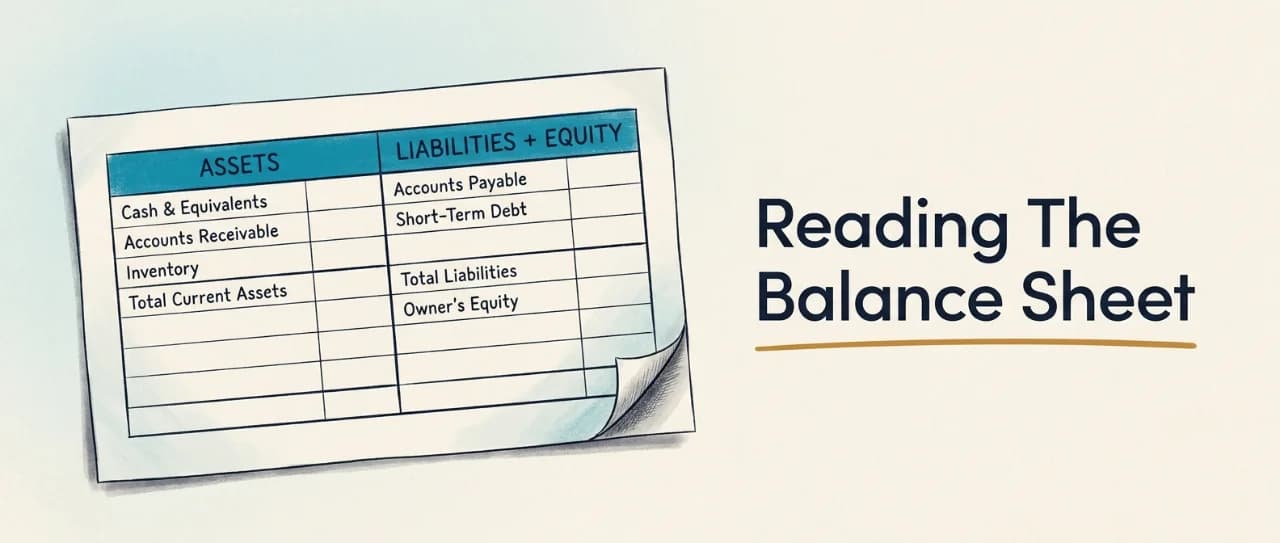
Understanding the Balance Sheet in Scale B.O.S.S.
Learn to read the Balance Sheet page in Scale B.O.S.S. to assess financial stability beyond profit—using assets, liabilities, equity, working capital, and key ratios to identify hidden financial pressure and operational strength.
Published Apr 20, 2026
Updated Apr 22, 2026
Using The Marketing Dashboard As Your Marketing Calendar
The Marketing Dashboard functions as a month-by-month calendar and operating review system that translates marketing tactics into visible, timed plans with budget visibility, spend tracking, and measurable campaign performance.
Published Apr 20, 2026
Updated Apr 21, 2026

Understanding the Financials Section in Scale B.O.S.S.
Scale B.O.S.S. Financials turns financial statements into a connected operating view, helping leadership read revenue, margins, cash flow, and stability together as one story rather than isolated reports.
Published Apr 19, 2026
Updated Apr 21, 2026

Understanding Cash Flow and the 13-Week Forecast in Scale B.O.S.S.
Learn to read the Cash Flow page and 13-Week Forecast in Scale B.O.S.S. to identify financial red flags early, understand whether profit is converting to usable cash, and respond to pressure before it becomes critical.
Published Apr 20, 2026
Updated Apr 21, 2026

Translating Financials Into Strategic Insights
Learn to translate financial reports into clear, prioritized insights that drive better leadership decisions by connecting numbers to business consequences and actionable next steps.
Published Apr 20, 2026
Updated Apr 21, 2026

The Evaluate Workspace: Assessing People, Infrastructure, and Business Drivers
Scale B.O.S.S. Evaluation combines three diagnostic lenses—Team to Market, Business Essentials, and Key Business Drivers—to give leadership an honest, structured assessment of organizational strengths and weaknesses before attempting growth initiatives.
Published Apr 20, 2026
Updated Apr 21, 2026

Team to Market: Go-to-Market Execution Framework
Team to Market is a structured evaluation framework that assesses how well your organization executes the full customer journey—from creating awareness through turning customers into advocates—across five stages with dual scoring for performance and resource allocation.
Published Apr 20, 2026
Updated Apr 21, 2026
Strategic Goals: One-Year and Five-Year Planning in Scale B.O.S.S.
Learn how to set and manage one-year and five-year strategic goals in Scale B.O.S.S., including quarterly review processes and KPI linkage to keep strategic direction visible and measurable throughout execution.
Published Apr 20, 2026
Updated Apr 21, 2026
Scale B.O.S.S. Evaluation Scoring Guide
Learn how to score Team to Market, Business Essentials, and Key Business Drivers using the -2 to +2 scale and Yes/Maybe/No model to create honest, consistent evaluations that reveal business reality instead of masking weak spots.
Published Apr 20, 2026
Updated Apr 21, 2026

Normalizing Financial Numbers and Asking Better Questions
Learn to normalize financial numbers in Scale B.O.S.S. by identifying distortions like owner-specific expenses, one-time costs, and compensation anomalies to separate true operating performance from noise and ask smarter strategic questions.
Published Apr 20, 2026
Updated Apr 21, 2026

Marketing Tactics: Build, Structure, and Measure Growth Campaigns
Learn how to structure marketing tactics into measurable campaigns with defined budgets, cadence, platforms, and KPI tracking to build a disciplined, diversified growth model in Scale B.O.S.S.
Published Apr 20, 2026
Updated Apr 21, 2026

Key Business Drivers: Identify, Evaluate, and Improve Operating Levers
Key Business Drivers are the critical operating levers that most influence quarterly results—like customer acquisition cost, churn, margin, and capacity—and the KBD Evaluation gives leadership a disciplined way to identify, measure, and improve them before problems show up in financials.
Published Apr 20, 2026
Updated Apr 21, 2026

Impact Charters In Scale B.O.S.S.: From Weakness To Execution
Impact Charters bridge diagnosis and execution by converting identified weaknesses into defined, owned work tracked across Weakness Resolution, Company Charters, Ideas, and My Board—with discussion threads keeping conversations visible and connected to the initiatives themselves.
Published Apr 20, 2026
Updated Apr 21, 2026

Execution in Scale B.O.S.S.: Strategy Overview and Operating System
Execution in Scale B.O.S.S. turns strategy into sustained performance through connected cadence, quarterly reviews, strategic goals, owned objectives, and live business driver visibility.
Published Apr 20, 2026
Updated Apr 21, 2026
Critical Few Objectives: Assign, Stage, Publish, and Track
Learn how to assign, track, and manage Critical Few Objectives—the few priorities that matter most—while maintaining visibility into employee capacity, performance history, and workload all on one screen.
Published Apr 20, 2026
Updated Apr 21, 2026

Business Essentials: Foundational Systems For Scalable Growth
Establish foundational systems across culture, decision-making, marketing, technology, and people management to ensure your business can scale cleanly without exposing hidden weaknesses.
Published Apr 19, 2026
Updated Apr 21, 2026

Business Essentials: Building Scalable Foundations for Growth
Business Essentials is an annual review of 30 foundational questions that assess whether a company's core systems are strong enough to support sustainable growth without breaking under scale.
Published Apr 20, 2026
Updated Apr 21, 2026

Capacity Chain Assessment in Scale B.O.S.S.
Learn how to assess team capacity honestly using three lenses—observed, confirmed, and comparative—so leadership can scale growth without creating bottlenecks or overloading people.
Published Apr 20, 2026
Updated Apr 21, 2026